

A topic that comes up frequently when our K2 platform gets bigger, it’s a simple way to monitor its environment without having to connect to the workspace and check if instances are in error or if everything is fine (yes yes, it happens!)
To set up this kind of mechanism, it is necessary to use the Workflow Management which makes it possible to list the errors on the platform K2, and to make a retry on these detected errors.
To monitor errors, 2 solutions are available to us:
- Monitoring via a screen
- Monitoring via a process
Monitoring via a screen
This type of monitoring consists of benefiting from a form that lists the errors.
Advantage: faster access than the workspace
Disadvantage: Need to go check it regularly
At first, we will generate a SmartObject that uses the following 2 methods:
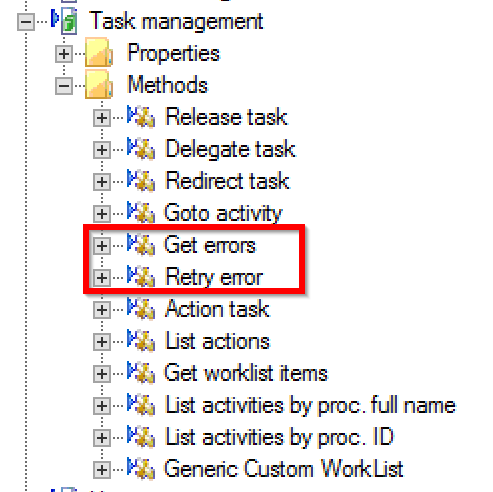 |
The Get errors method takes as parameter the name of the error page to display. By default, pass « All » which lists all the errors present on the server K2. Other error pages can be added in the workspace, section Error profiles . The second method retry error allows to launch a retry on the error for which we passed the ID as a parameter. |
Once the SmartObject is generated, you need to generate a list type view that uses the Get errors method.
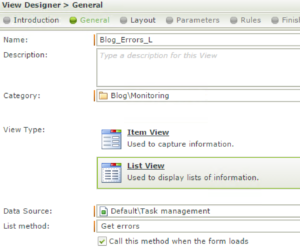
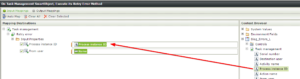
We will add to this view a toolbar button tlb_Retry that will execute the Retry method by passing the id of the selected error as well as the name of the connected person:
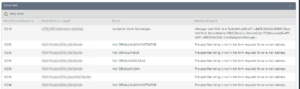
Here is the final result:
Monitoring via un processus
This solution consists in modeling a K2 process, which will be launched periodically (see article on the periodic process trigger), which will go to consult the errors of the current environment, generate an HTML table with the errors recovered and send this table by mail to users set as recipients.
The SmartObject used will be the same as for the first solution. We will then go through a compound process that will check if there are errors present on the server, if there is no error, the process does nothing, if errors are present, we will generate the HTML table (generate table activity that loops on the list of errors) and send this HTML table in an email.
We will also generate a link that will be inserted in the mail that will take us to a form to retry automatically from the mail.
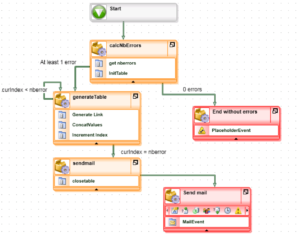
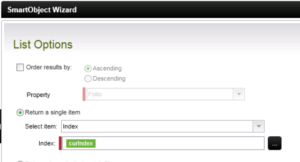
We can see in the process that a loop is in place around the generateTable activity, and that 2 outputs are conditioned:
If curIndex Example of data recovery (Folio): It’s your turn 😉
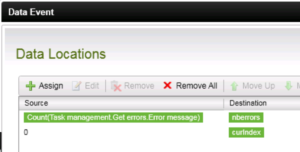
We will initialize the datafield
nbErrors with the function count on the method Get errors of our SmartObject as well as the datafield curIndex to 0.
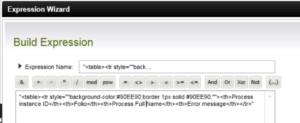
In the 2nd event, we will initialize the datafield
htmlTable (text type) with the header of the HTML table.
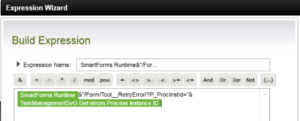
In the
generateTable activity, the first event is to generate a link to a form, which takes as parameter the error ID and attempts a retry when the initialize rule of the form. (the method is the same as that developed for the toolbar button of solution 1).
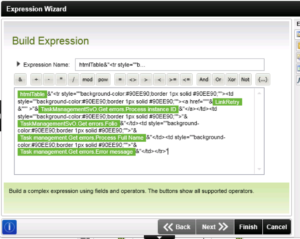
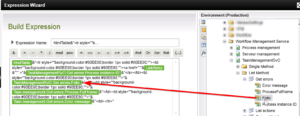
The ConcatValues event will concatenate the data of the current line with the values of the htmlTable datafield.
Last event of the
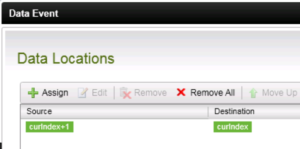
generateTable activity, incrementing the variable curIndex
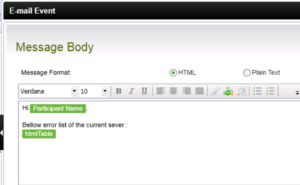
Finally, we send the table generated in the datafield
htmlTable in a mail event, for which we will have the choice of recipients of the mail.