

K2 Custom Time Picker – Visual Time Selector for SmartForms
Because entering a time should never be a constraint for the user…
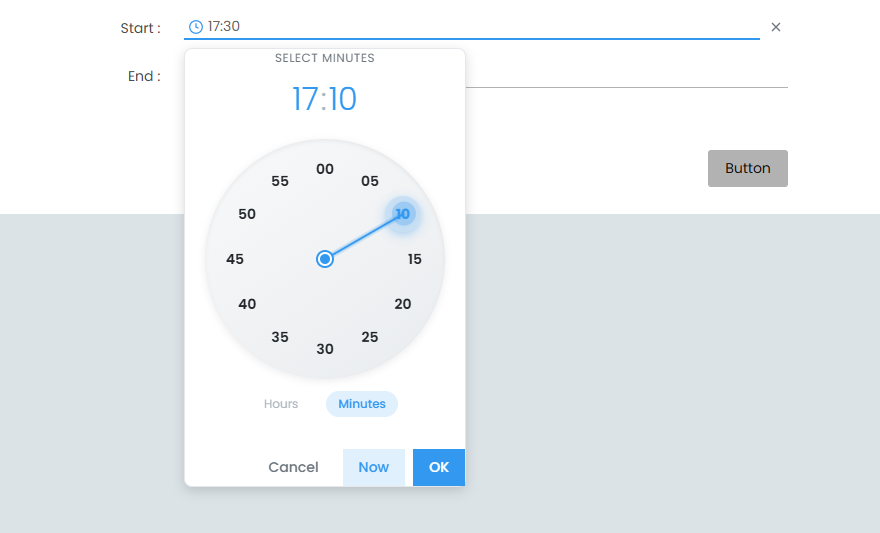
The K2 custom time picker provides a modern, visual way to select time in SmartForms.
While the standard K2 time input control is precise and reliable, it relies on numeric input, which can be less intuitive for non-technical users or mobile environments.
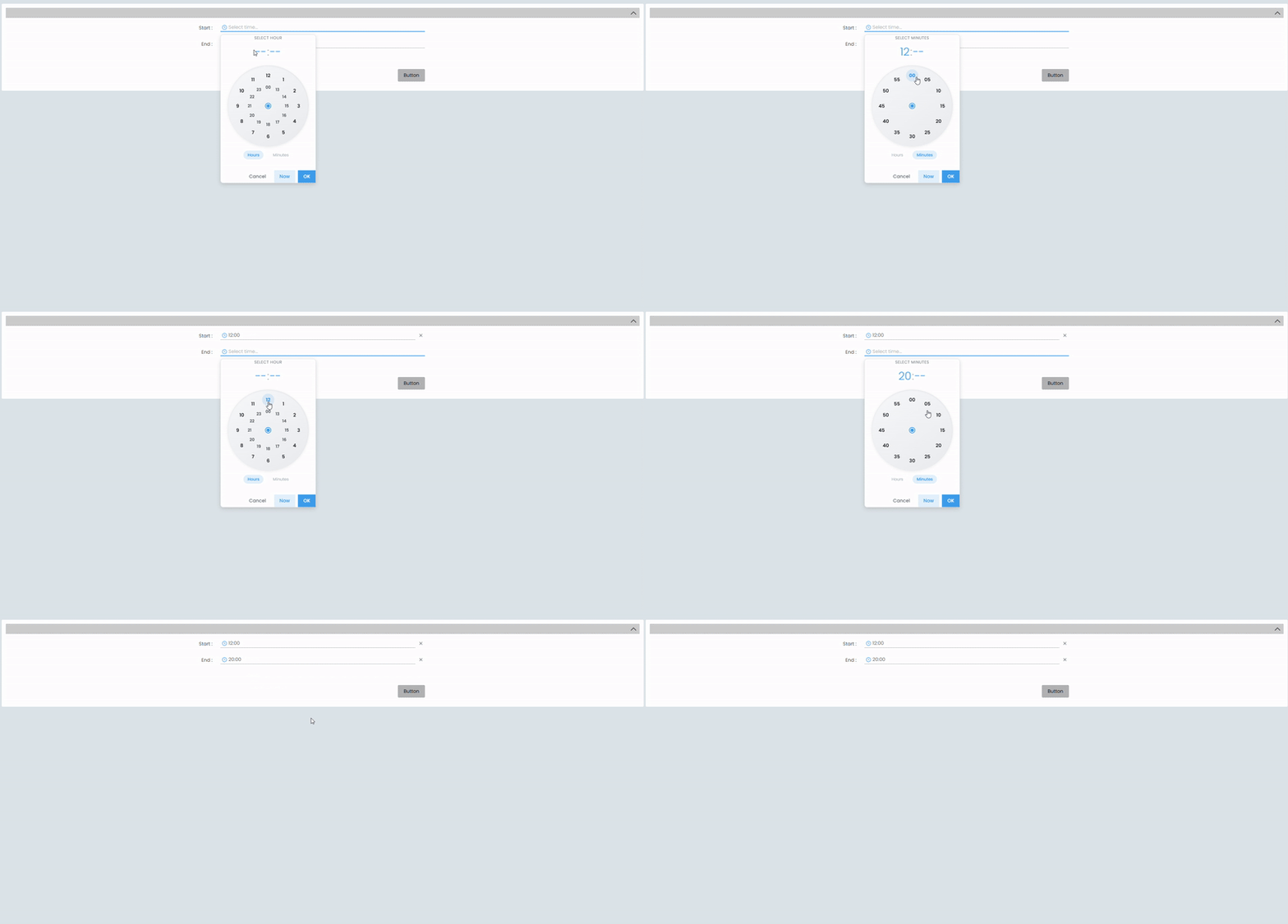
This alternative UX allows time selection through an interactive clock face, inspired by mobile time pickers.
It brings intuitive hour and minute selection, visual interaction, and flexible configuration to your SmartForms.
All ready to use in your SmartForms.
A new way to create custom controls
With K2 5.9, it is now possible to build custom controls using pure JavaScript and CSS, without relying on heavy frameworks.
In practice: the control is developed, imported into K2 Management, and then directly usable in the K2 Designer.
The Clock Time Picker served as a reference project to explore this new approach.
The result: a lightweight, maintainable control that integrates seamlessly into the K2 ecosystem.
Note: This feature is available starting with K2 5.9. For earlier versions, alternative approaches can be considered.
What this K2 Custom Time Picker does
Analog clock-based selection
The control provides an interactive clock face that allows users to visually select the hour and then the minutes.
This approach is particularly suitable:
- for users who are not comfortable with numeric inputs
- for mobile- or tablet-oriented environments
- for forms where ergonomics matter more than raw data entry
It does not replace the precision of the standard K2 control, but offers a different interaction model.
Configurable minute handling
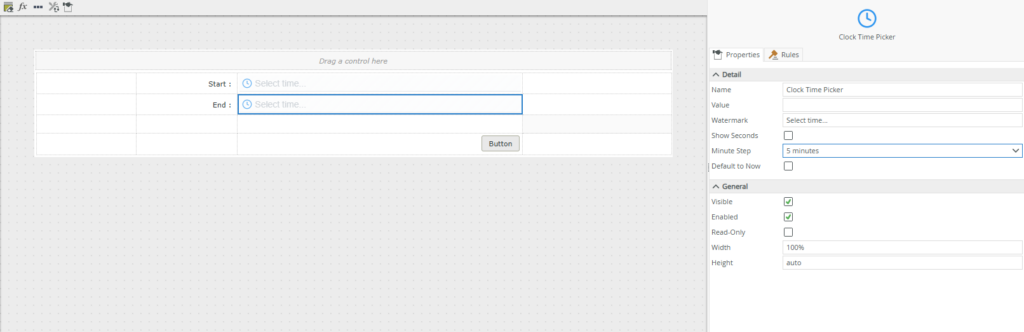
The MinuteStep option allows you to define the minute selection interval: 1, 5, 10, 15, or 30 minutes.
Seconds mode (optional)
The ShowSeconds option adds a third dial for seconds selection when a higher level of precision is required.
Automatic initialization
With DefaultToNow, the control can automatically initialize with the current time when no value is defined.
Main properties
- MinuteStep: Minute selection interval
- ShowSeconds: Enable seconds dial
- DefaultToNow: Automatically initialize with the current time
Available events
- OnChanged: Triggered on each change
- OnFocus / OnBlur: Focus handling
- Opened: Triggered when the picker is opened
Real-world use cases
Meeting room booking
With MinuteStep="15", users can only select valid time slots, without requiring additional validation logic.
Time tracking
The DefaultToNow="true" option makes it easy to quickly capture the current time.
Technical task scheduling
Seconds mode allows precise input for technical processing or logging purposes.
HR forms
A visual interface improves readability and user adoption when entering time values.
Technical points to note
- Output format: HH:mm or HH:mm:ss
- Reliability: Equivalent to the standard K2 control
- Native validation: Fully compatible with the K2 engine
- Responsive: Adapts to container size
- Data type: DateTime compatible
- Accessibility: Supports IsVisible and IsEnabled
Comparison of approaches
| Standard K2 Time Picker | K2 Custom Time Picker |
|---|---|
| Numeric input with increments | Interactive analog clock face |
| Desktop-style interaction | Mobile-inspired interaction |
| Highly precise and performant | Equally precise |
| Functional UX | More visual and immersive UX |
Conclusion
The K2 custom time picker is not intended to replace the standard time input control, which remains perfectly suited for many use cases.
It offers an ergonomic alternative when user experience, readability, and input comfort are top priorities.
For certain forms — HR, bookings, scheduling — this visual approach can significantly improve user adoption.
If you want to enhance your K2 SmartForms with UX-oriented controls, this solution fits naturally into your environment.
Happy coding and happy time picking!